AI tools in Unity game development
Learn how to use AI tools in Unity to speed up game development in 2025. Discover AI for coding, assets, NPCs, testing, and faster game creation workflows.

🤖 Beyond the Hype: How to Use AI Tools in Unity to Build Games Faster
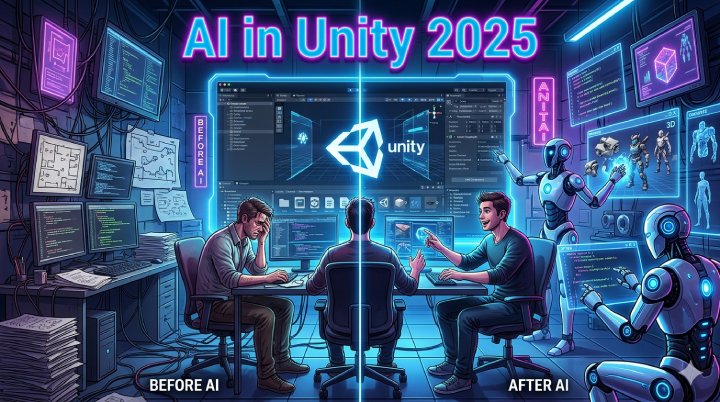
Artificial Intelligence is no longer just a buzzword in the game industry—it is now a practical development tool that is transforming how games are built in Unity.
In 2025, developers are no longer spending weeks on repetitive tasks. Instead, they are using AI tools to write code, generate assets, design levels, test games, and even create intelligent NPCs.
This shift is not about replacing developers—it is about making them faster, smarter, and more creative.
In this article, we will explore how to use AI tools in Unity to build games faster and more efficiently.
🚀 Why AI Matters in Unity Game Development
Game development is complex. It involves coding, design, animation, testing, and optimization. Traditionally, this takes a lot of time.
AI helps by:
- Automating repetitive tasks
- Generating creative content
- Improving debugging speed
- Enhancing game design decisions
In Unity, AI is becoming a powerful assistant that reduces development time by up to 50% or more.
🧠 1. AI for Coding in Unity (Faster Scripting)
One of the biggest uses of AI in Unity is code generation and assistance.
AI tools like coding assistants can:
- Generate C# scripts automatically
- Fix bugs in real time
- Suggest optimized code structures
- Explain complex logic
Example use case:
Instead of manually writing a player controller script, AI can generate a base script in seconds that you can customize.
✔ Result: Faster prototyping and fewer coding errors
🎨 2. AI-Generated Game Assets
Creating game assets (textures, environments, UI) usually takes a lot of time.
Now AI tools can generate:
- 2D sprites
- 3D models
- Textures and materials
- UI elements
This is especially useful for indie developers who don’t have large art teams.
✔ Result: Rapid asset creation without heavy design work
🧩 3. AI for Level Design & Procedural Generation
AI can help design entire levels automatically using procedural generation techniques.
In Unity, this can be used for:
- Endless runner games
- Open-world environments
- Dungeon generators
- Random map creation
AI ensures that each playthrough feels unique.
✔ Result: Infinite replay value with less manual design effort
🧑💻 4. Smarter NPCs Using AI Behavior Systems
Non-Playable Characters (NPCs) are becoming more intelligent thanks to AI systems.
In Unity, AI is used to create NPCs that:
- Learn player behavior
- React dynamically to situations
- Adapt difficulty in real-time
- Provide realistic interactions
Instead of scripted behavior, NPCs feel alive and responsive.
✔ Result: More immersive gameplay experience
🧪 5. AI for Game Testing & Bug Detection
Testing is one of the most time-consuming parts of game development.
AI helps by:
- Automatically detecting bugs
- Simulating player behavior
- Finding performance issues
- Testing multiple gameplay paths
This reduces the need for manual QA testing.
✔ Result: Faster debugging and stable releases
🎮 6. AI for Animation & Motion Design
Animation creation is another area where AI is making a big impact.
AI tools can:
- Generate character animations from simple inputs
- Smooth transitions between movements
- Auto-rig characters
- Improve realism in motion
✔ Result: Less animation work, more realistic characters
🔊 7. AI in Game Audio & Sound Design
Sound is a critical part of gaming experience.
AI is now used to:
- Generate background music
- Create sound effects
- Adjust audio dynamically based on gameplay
- Improve immersion using adaptive sound systems
✔ Result: Dynamic and immersive audio experience
☁️ 8. AI + Cloud Integration in Unity
In 2025, AI is also being combined with cloud systems.
This allows:
- Real-time game updates
- Cloud-based AI NPCs
- Cross-device intelligence syncing
- Multiplayer optimization
✔ Result: Smarter and more scalable games
⚡ 9. AI Workflow: How Developers Use It in Unity
A modern Unity AI workflow looks like this:
- AI generates base code
- AI suggests assets and designs
- Developer customizes logic
- AI tests gameplay scenarios
- Final optimization is done manually
This hybrid approach gives the best balance of speed and control.
💡 10. Should You Rely Fully on AI?
AI is powerful, but it is not perfect.
You should NOT:
- Fully rely on AI without understanding code
- Use AI-generated assets without review
- Skip learning game design fundamentals
Instead, treat AI as a development assistant, not a replacement.
✔ Best approach: AI + Human creativity = best results
🏁 Final Thoughts
AI tools are completely changing how Unity games are built in 2025. Developers now have the ability to build faster, smarter, and more efficiently than ever before.
From coding to design to testing, AI is becoming a core part of modern game development workflows.
If you are a Unity developer, learning how to use AI tools is no longer optional—it is essential for staying competitive.